Connect your stores to the way your business works.
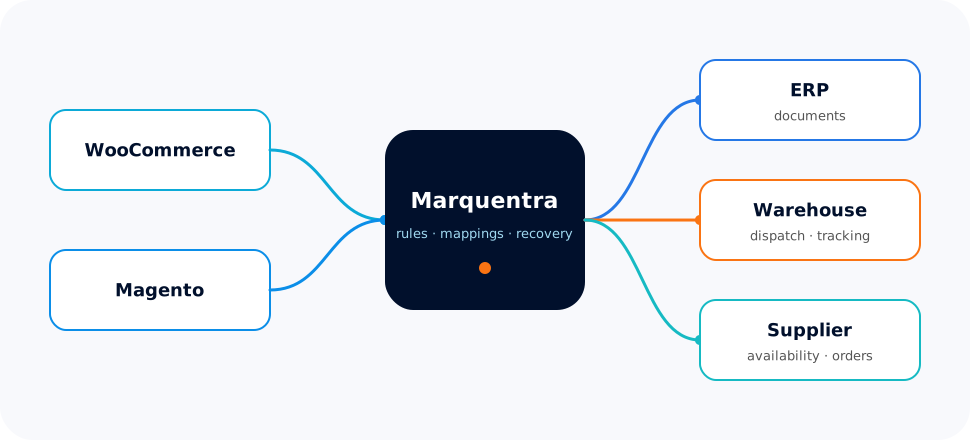
Orders arrive through different storefronts. Stock, supplier information and shipment updates live in different systems. Marquentra brings those handoffs into one visible workflow, with integration logic built around your business rather than a fixed connector's assumptions.
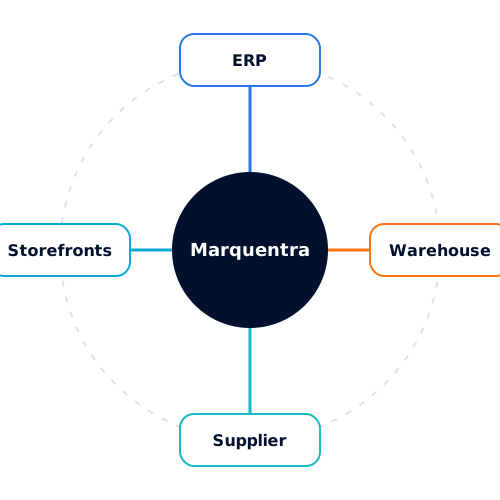
Storefronts, ERP, warehouse and supplier systems in one agreed workflow.
Automate
Explicit rules, mappings and recovery paths instead of scattered scripts.
Grow
Add channels and providers as scoped steps, not as rewrites.
Integration logic
More than moving data from A to B
An integration needs to know what to do when a product code does not match, an order is only partly ready to ship, or a warehouse accepts a request but the response never arrives. We design the rules, mappings and recovery paths around those real operational decisions.
Mappings you can inspect
Rules you can explain
Recovery without duplicates
What the workflow covers
From order intake to a clear next step
Each handoff is recorded so your team can see what happened and why.
Orders with a clear next step.
Bring orders into a consistent workflow, validate the information that matters, and hold exceptions before they become downstream problems.
Inventory with an identified source of truth.
Separate warehouse stock, reservations and channel allocations, with visibility into when each value was last checked.
Fulfillment that follows your rules.
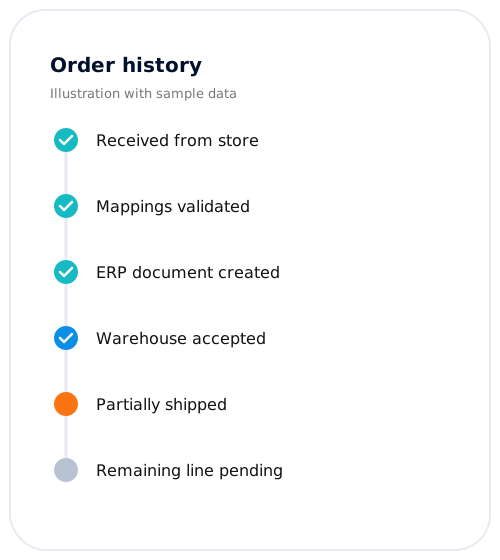
Route eligible lines to the appropriate provider, track partial shipments and keep the originating store informed.
Exceptions your team can understand.
See what happened, which step failed and what must change before a safe retry.
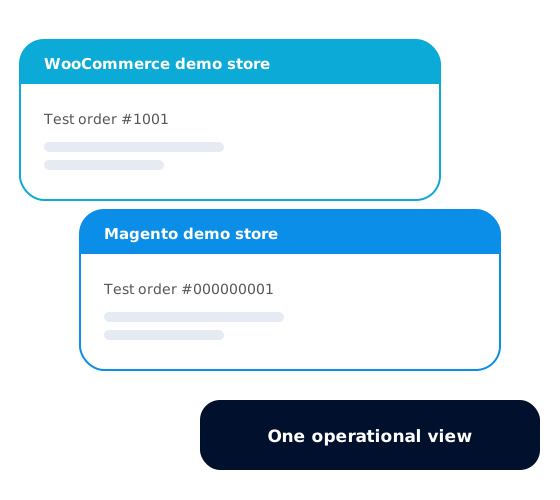
The Marquentra demonstration uses real WooCommerce and Magento Open Source demo stores with independently authored products and test orders. It shows how different sales channels can feed a shared integration workflow without duplicating every order across every shop.
We scope custom connections to ERP, warehouse and supplier systems, including Microsoft Dynamics 365 Business Central and other client-selected platforms. The right solution depends on your workflow, the system version, API access and the responsibilities of each provider.
Microsoft Dynamics 365 Business CentralDemonstrated with simulated provider responses
SAP Business One or SAP S/4HANACustom integration available by project scope
OdooCustom integration available by project scope
JTL-WawiCustom integration available by project scope
DHL warehouse fulfillmentDemonstrated with simulated provider responses
BigblueCustom integration available by project scope
ShipMonkCustom integration available by project scope
BigBuyCustom integration available by project scope
Every demonstration connection has a visible status. Local storefront connections, provider-sandbox tests and simulated external responses are identified separately. When the demonstration is published, you will be able to inspect the workflow without mistaking a test environment for a production warehouse.
Demonstrated with a local storeA locally installed test store with original data was connected and its order intake was tested.
Verified in provider sandboxRequests were tested in a provider's authorized test environment.
Demonstrated with simulated provider responsesThe workflow was tested against local simulations of the provider's documented interface, not the provider itself.
Custom integration available by project scopeA target we can assess and build for within a scoped project. No connector is demonstrated for it yet.
Not part of this releaseNot included in the current demonstration.
From one workflow to a defined project
Start with the process you need to improve. We agree on the systems, data ownership, exceptions and acceptance criteria before implementing the integration in planned stages. Future changes remain separate, scoped work rather than an unlimited support commitment.